Anime Video Upscaler: Sharpen Anime and Cartoons Online
Anime needs its own kind of AI. This tool uses a model made for animation, so lines stay crisp and flat colours stay clean, in HD, 2K or 4K.
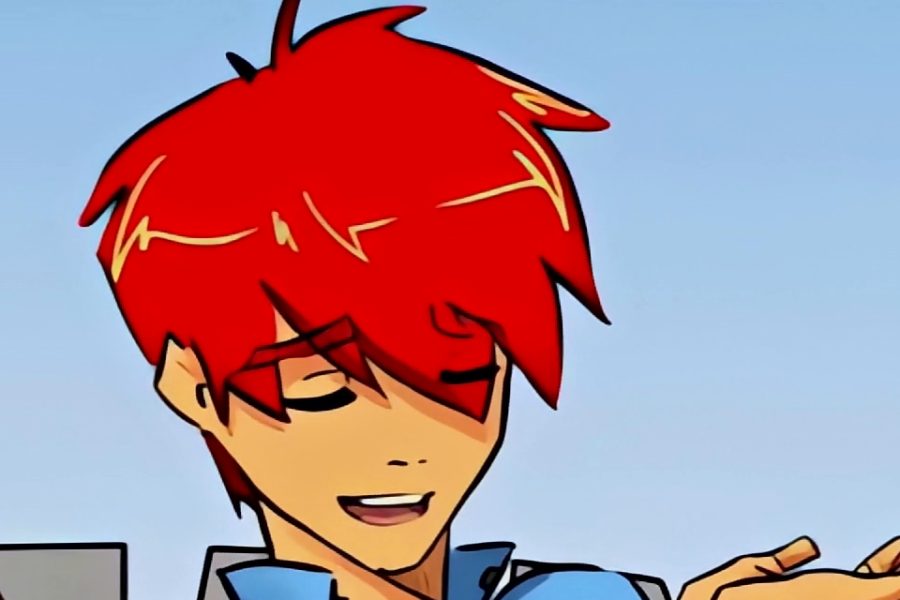

A 240p anime clip upscaled with Cartoon & Anime AI. Sample video: Morevna Project, CC BY 4.0.
Why anime needs its own AI model
Anime is made of clean lines and flat areas of colour. An AI trained on photos tries to add texture that should not be there, and the lines end up wobbly. This page uses AnimeVideo v3 from the open-source Real-ESRGAN project, a model built for animated video. It keeps lines thin and dark and keeps flat colours free of noise.
What resolution will you get?
| Your clip | HD result | Largest size | 10 second HD clip takes |
|---|---|---|---|
| 240p | 960p | 2K (1440p) | About 2 minutes |
| 360p | 1080p | 4K (2160p) | About 4 to 5 minutes |
| 480p and above | 1080p | 4K (2160p) | About 4 to 5 minutes |
HD is the default. Choose 2K or 4K under More options; those results are up to 20 and 10 seconds long.
Which AI should you use for animation?
| Type of video | Best choice |
|---|---|
| 2D anime and cartoons | Cartoon & Anime AI |
| Old hand-drawn cartoons | Cartoon & Anime AI |
| 3D animation and video games | Try Fast AI first, then Cartoon & Anime AI |
| Real people and places | Fast AI or Best Quality AI |
Old DVD copies can show thin comb lines around moving objects. That is interlacing, and this tool does not remove it, so use a progressive copy if you have one.
Tips for cleaner anime
- The Natural look is selected so the artist's colours stay as they were. Reels HD gives a punchier picture.
- Start from the cleanest copy you have. Heavy blocking can get drawn into the lines.
- Subtitles burned into the video are sharpened along with the picture.
- 2D animation gets the biggest benefit. For 3D animated videos, also try Fast AI.
- Please only upload videos you have the right to use.
Frequently asked questions
Can I upscale a full episode?
Not in one go. The free tool enhances up to 30 seconds at a time, so it suits openings, favourite scenes and short edits.
Does it work on old hand-drawn cartoons?
Yes. It works on most 2D animation, including older cartoons, as long as the lines are still visible.
Should I use it for videos of real people?
No. It makes real footage look painted. Use Fast AI or Best Quality AI for real people.
Does it increase the frame rate?
No. It keeps your frame rate up to 30 frames per second and does not create new frames.
Is there a watermark?
No. The file you download has no watermark and you do not need an account.
Who can see my video?
Your video is not published anywhere. Our team may review uploads and results to improve this tool. They are deleted automatically after 7 days, and your download link works for 3 hours. Please do not upload private or sensitive videos.